
Eagle Nebula (M16) Astrophotography Guide
Best Season
May-August
Best Filters
Dual-Band, Narrowband
Difficulty
Beginner–Intermediate
Focal Length
~135mm to 1500mm+
If you image under a light-polluted sky, you probably assume the famous targets are out of reach. They’re the ones in every magazine and every Hubble gallery, so surely they need dark skies and serious gear.
Here’s what surprised me about the Eagle Nebula. I imaged it from my Bortle 9 backyard, sat down to process it, and braced for a fight. There wasn’t one. No big problem showed up. The data came together more easily than targets I’d expected to be simpler.
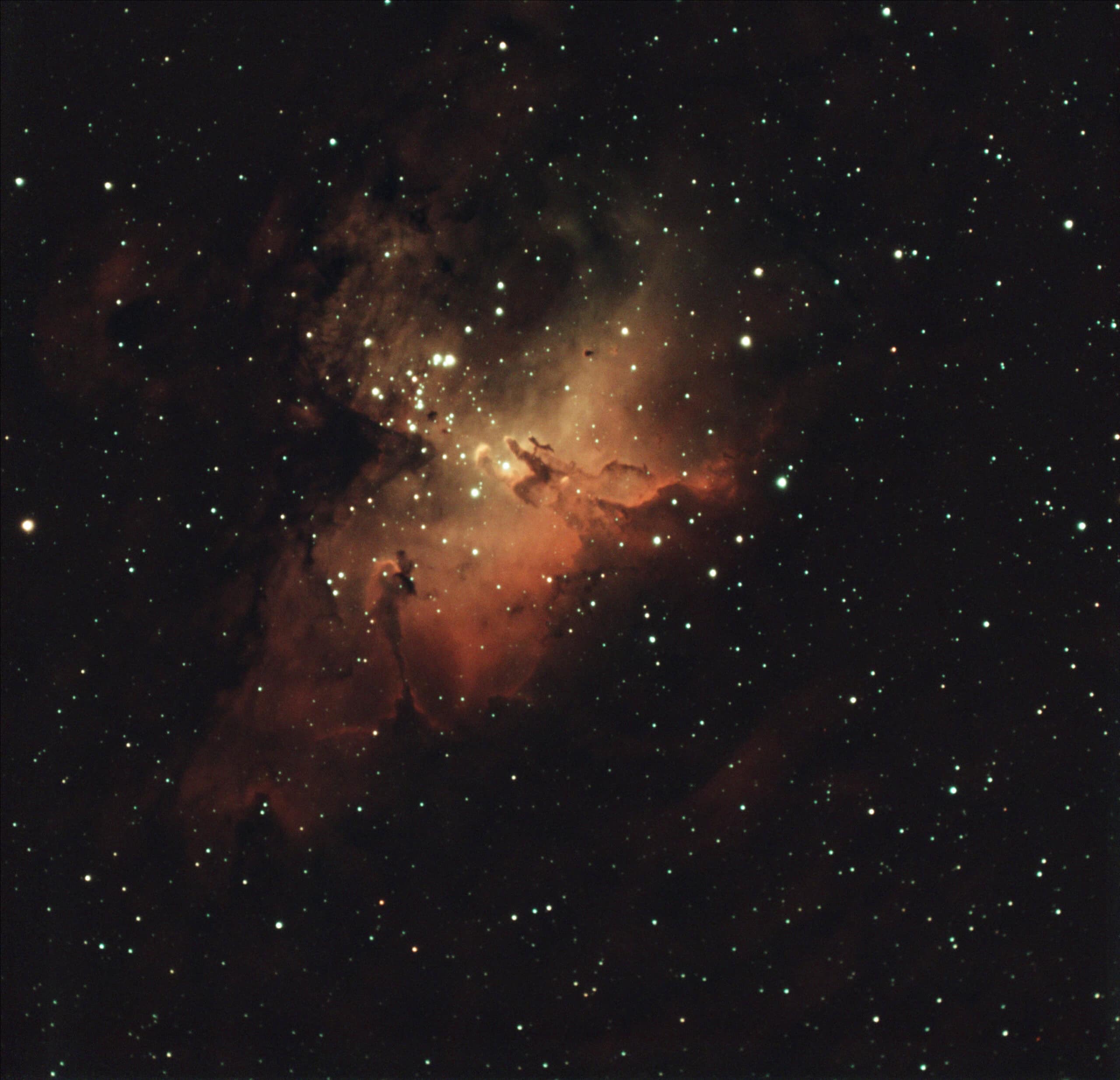
That matters, because the Eagle is home to the Pillars of Creation, one of the most recognizable images in all of astronomy. It’s the reason so many people want to photograph this nebula in the first place. And it’s more within your reach than you might think.
The Eagle Nebula (M16) is one of the best summer targets for light-polluted skies because its signal is strong in hydrogen-alpha and responds well to a dual-band filter. The best setup for imaging it is the one you already own. Your focal length decides how you frame it, not whether you can capture it.
Eagle Nebula at a Glance
| Object | Messier 16 (Eagle Nebula) |
| Constellation | Serpens |
| Declination | −13° 47′ |
| Best months (Northern Hemisphere) | May–August |
| Target type | Emission nebula / star-forming region |
| Best filter with a color camera under light pollution | Dual-band Ha/OIII |
| Good focal lengths | ~135mm to 1,500mm+ |
| My setup | MK127 + 0.65× reducer, ASI533MC Pro |
| My focal length | ~975mm |
| My filter | SVBONY SV220 |
| My integration | ~4 hours |
| My sky | Bortle 9 |
Let’s dive into what you need to know to photograph it yourself.
What Is the Eagle Nebula?
The Eagle Nebula, better known as Messier 16 (M16), is a large star-forming region in Serpens surrounding the young open cluster NGC 6611. The glowing nebula itself also carries the designation IC 4703.
The hot, massive stars in that cluster are what light up the nebula. At the center are the Pillars of Creation, columns of cool hydrogen gas and dust where new stars are still forming. Other pillars sit in the wider region too, including a tall one known as the Spire.
Distance estimates vary by source, but you’ll usually see somewhere between about 5,700 and 7,000 light-years.
When to Photograph the Eagle Nebula
For Northern Hemisphere imagers, the Eagle is primarily a summer target. It’s highest in the sky around midnight in late June and early July, so your main window runs roughly May through August. It stays in a good evening position into early September. In the Southern Hemisphere, that same window falls during winter.
Because it sits just south of the celestial equator (Dec −13° 47′), it’s visible from both hemispheres. How high it climbs depends on your latitude:
| Your latitude | Highest altitude at transit |
|---|---|
| 50°N (northern Europe, southern Canada) | ~26° |
| 40°N (central US, Mediterranean) | ~36° |
| 30°N (southern US, northern Mexico) | ~46° |
| Equator | ~76° |
| 30°S (Australia, South Africa, Chile) | ~74° |
If you’re in the northern US or Europe, the Eagle never gets very high. That means you’ll be shooting through more atmosphere and closer to the light dome on your horizon. Plan your sessions around the hour or two on either side of transit, when it’s at its highest.
Choosing a Focal Length and Framing M16
Start with what you have. Every focal length gives you a real Eagle Nebula image. It just gives you a different one.
The Eagle’s main body spans roughly 35 arcminutes, and its faint outer nebulosity stretches much farther. Here’s what each range tends to show:
| Focal length | What you get |
|---|---|
| ~135mm (camera lens) | The whole region, with room for M17 (the Omega Nebula) about 2.5° to the south. A two-nebula frame. |
| ~400–500mm (small refractor) | The full Eagle with its outer structure around it. A balanced, well-filled frame. |
| ~1,000mm | The main body fills the frame closely. The Pillars sit at the center. |
| 1,500mm and up | A crop into the core, where the Pillars become the subject. |
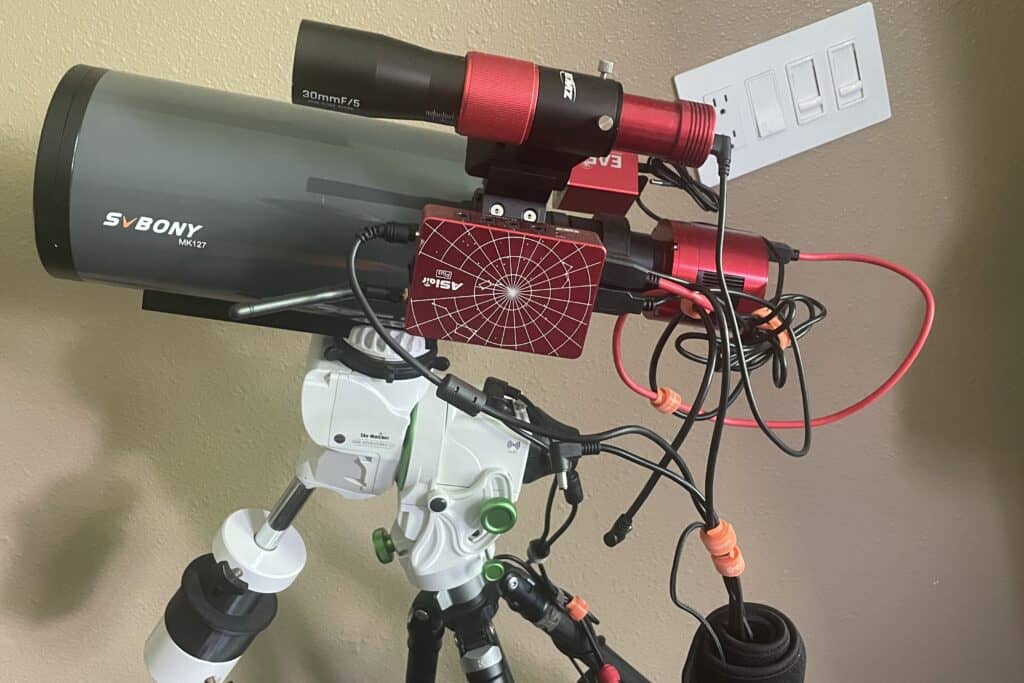
I imaged M16 with my MK127, a 127mm Maksutov, using the 0.65× reducer that came in the box. That puts it at about 975mm. On my ASI533MC Pro, that’s roughly a 40-arcminute field at about 0.80 arcseconds per pixel.
The result was the whole Eagle, framed tightly, with the Pillars visible in the middle but still small. To make the Pillars the star of the image without relying heavily on cropping, you’d want to go longer. That’s a framing choice, not a shortcoming.
One honest note: longer focal lengths put more pressure on your tracking. On a Star Adventurer GTi with the Eagle at moderate altitude, guiding and seeing matter a lot more at 975mm than at 135mm. If you’re newer, a wider frame is more forgiving.
Is the Eagle Nebula Good for Light-Polluted Skies?
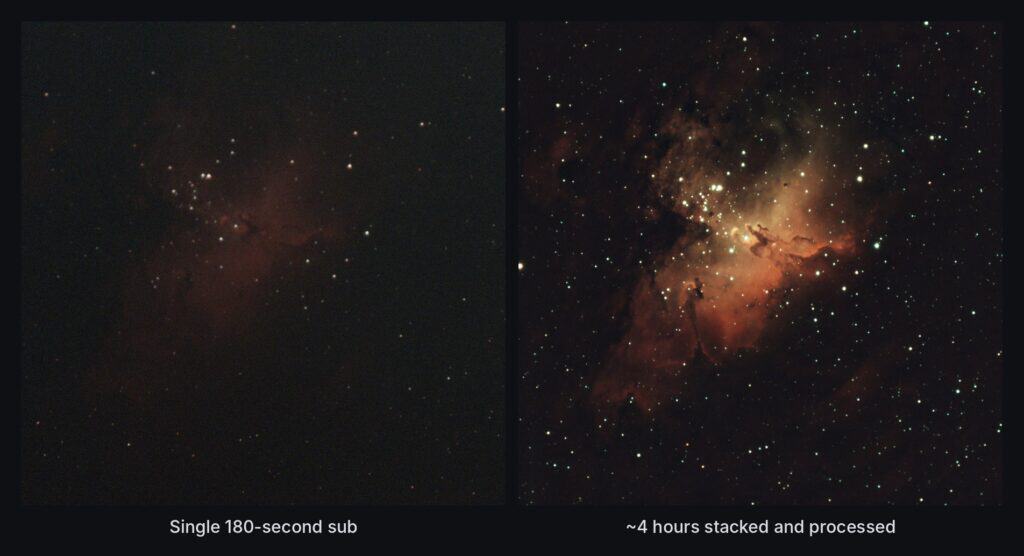
Yes. The Eagle is one of the better-known deep-sky targets for heavily light-polluted skies because much of its structure is carried by strong hydrogen-alpha emission. A dual-band filter can isolate that signal while rejecting much of the broadband skyglow.
As an astrophotography target, the Eagle is easy to moderate at wider focal lengths. A tight crop on the Pillars is harder, mostly because of what long focal lengths ask of your mount. My own Bortle 9 data processed smoothly, with no big problem to work around.
Two things are worth watching:
- Altitude. The lower the Eagle sits, the more atmosphere and skyglow you’re shooting through. Image it as close to transit as you can.
- The light dome. For most northern hemisphere imagers, the Eagle sits in the southern sky, often right where a city’s glow is brightest. Expect gradients in your data.
Best Filters for the Eagle Nebula
A dual-band filter is the natural choice here. I shot my M16 data through the SVBONY SV220, which passes hydrogen-alpha (Ha) and oxygen-III (OIII) and blocks most of the skyglow in between. Under my Bortle 9 sky, the SV220 is what made the Eagle practical to image.
Ha does the heavy lifting on the Eagle. It carries most of the structure: the pillars, the cloud edges, the glow around the cluster. There is some OIII signal, but it’s weaker. Expect the blue and teal tones in an HOO image to stay subtle unless you collect a lot of integration time.
A broadband light pollution filter like the Optolong L-Pro will give you more natural star color. Under heavy light pollution, though, the nebula’s contrast drops off fast. If you want to use one, it works better as a separate layer for star color than as your main data.
About That Hubble Look
The famous Pillars of Creation image uses a palette called SHO, which maps sulfur-II, Ha, and OIII to separate colors. Here’s the catch: the sulfur line (around 672nm) sits very close to Ha (around 656nm). A one-shot color camera with a dual-band filter can’t pull those two apart.
So if your dual-band image doesn’t look like the Hubble version, nothing went wrong. You’re capturing different data. A typical Ha/OIII dual-band filter simply doesn’t record SII as a separate channel. To build a true SHO image, you need separately captured SII, Ha, and OIII data, most commonly with a mono camera and individual narrowband filters. You don’t need any of that, though, to get a beautiful Eagle.
How Much Integration Time Do You Need?
My Eagle image came from roughly four hours of usable data, and that was enough to produce a result I was happy with from Bortle 9. I’d treat three to four hours as a reasonable starting goal for a setup similar to mine, not as a universal minimum. Faster optics may need less, while a tight Pillars crop or a stronger OIII signal can benefit from considerably more.
But the number you should care about isn’t the total. It’s the usable total.
If you image for 16 hours and only 8 of those hours are good, your image contains 8 hours. Tracking errors, passing clouds, trailed stars, and soft focus all eat into what you actually keep. Some of my best processing results have come from cutting integration time by throwing out bad frames.
So when you plan for the Eagle, plan for more time than you think you need. Then be willing to let the weak frames go.
Processing Notes
The Eagle processed easily for me, but a few things come up often with this target:
- Gradient removal. The low altitude and light dome leave uneven backgrounds. Deal with these early.
- Star reduction. The Eagle sits in a dense part of the Milky Way. Star reduction or star separation keeps the field from overwhelming the nebula.
- HOO extraction. Splitting your dual-band data into Ha and OIII lets you build an HOO palette, or blend Ha into your color data for extra structure.
- Protecting the core. Watch the bright center and the area around the Pillars so they don’t clip during stretching.
- Cluster stars. Keep the NGC 6611 stars from bloating as you stretch.
My Eagle Nebula Sessions
Every session I log on M16 will be listed here, so you can see how the data and results build over time. My first session, shot at 975mm with the SV220, is being written up now.
Final Thoughts
The Eagle Nebula looks like a target that belongs to people with dark skies and big telescopes. It isn’t. Its strong Ha signal makes it one of the most forgiving famous targets you can point at from a light-polluted backyard.
Start with what you have. A camera lens gives you the Eagle and its neighbor. A small refractor gives you the whole nebula. A longer scope pulls you toward the Pillars. Each one is a real image worth making.
Don’t buy equipment just to get one target. When summer comes around, point what you own at the Eagle and see what you get.