
Why Astrophotography Stars Look Weird With a Dual-Band Filter
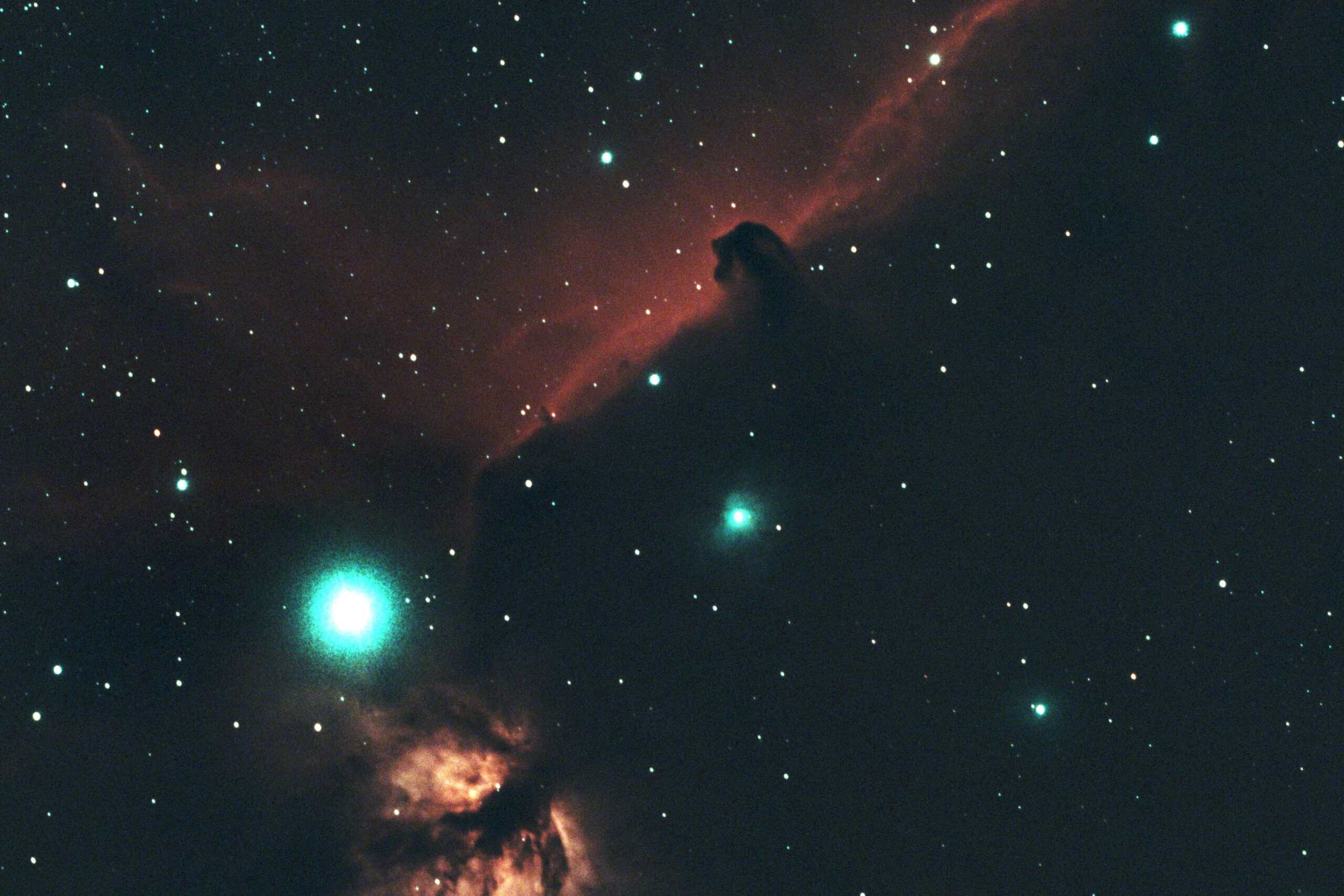
The first time I put the SVBONY SV220 on my imaging train, I thought something had gone wrong. The ASI Air preview looked almost empty. A huge share of the stars I was used to seeing had just disappeared, and the ones that were left had a strange teal tint to them.
Then I tried to plate solve. The same exposure that solved in seconds with my Optolong L-Pro came back with nothing.
If you just put a dual-band filter on your setup and you’re seeing the same thing, take a breath. Your camera isn’t broken, and you didn’t do anything wrong.
Fewer stars and teal-colored stars are completely normal with a dual-band filter, because the filter blocks most of the light stars give off. If your plate solve is failing, increase your exposure time; I went from about 2 seconds to about 5. Bloated stars and halos usually come from very bright stars near your target, not from the filter alone.
Let’s dive into what’s actually happening, what you need to adjust, and how to get natural-looking stars back when you want them.
Why a Dual-Band Filter Changes How Stars Look
A dual-band filter like the SV220 only lets through two very narrow slices of light. One is hydrogen-alpha (Hα), a deep red. The other is oxygen III (OIII), a blue-green. Everything else gets blocked.
That’s exactly why it works so well under a Bortle 9 sky like mine. Emission nebulas glow brightly at those two wavelengths, while most of the skyglow from streetlights and city lighting falls outside them. The filter keeps the nebula and throws away most of the light pollution.
Stars don’t play by those rules. A star shines across the entire spectrum, not in two thin lines. So when the filter throws away everything outside those slices, it throws away most of each star’s light too. Dim stars drop below what your exposure can pick up, and bright stars get noticeably fainter. That’s your missing star field.
The teal tint comes from what survives. You’re left with a sliver of red and a sliver of blue-green, and the balance between them doesn’t look like a star’s natural color. On a one-shot color camera like my ASI533MC Pro, OIII light gets recorded by both the green and blue pixels, while Hα only lands on the red ones. My best understanding is that this, combined with color-balancing an image that’s dominated by red nebula signal, is what pushes the stars toward teal.
Fewer Stars Means Your Plate Solve Needs More Time
This is the one that catches people off guard, because it shows up before you’ve captured a single frame.
With my L-Pro, about 2 seconds of exposure was enough for the ASI Air to plate solve. With the SV220, I had to go up to about 5 seconds. That doesn’t sound like a big jump, but it’s more than double. The solver simply needs enough stars to match against its database, and the filter takes most of them away.
Here’s what surprised me: it’s the opposite problem from solving with no filter or the L-Pro. Under broadband conditions, I sometimes have to reduce exposure, because too many stars means the solver has too many data points to chew through and the solve drags on. With a dual-band filter, you’re fighting the other direction and adding exposure just to get enough stars.
This matters for more than framing your target. My backyard has no view of Polaris, so plate solving is how I polar align at all. If you’re in the same spot, a failed solve with the filter on means a failed polar alignment, not just a missed GoTo.
The practical takeaway: if your solve fails with a dual-band filter on, raise the exposure before you change anything else. And remember that the right solve exposure now depends on which filter is in the train, so it’s one more setting to check whenever you swap.
Teal Stars Show Up Everywhere (and That’s Okay)
The teal tint isn’t something that sneaks in during editing. In my experience it shows up in three places: the ASI Air preview, the stacked image, and still somewhat in the final processed image.
That last part is what I want you to hear. If you’ve processed a dual-band image and your stars still look off, that’s not a processing failure. You can tone the color down, but processing can’t put back light the filter never let through. No software turns two slices of the spectrum into a full one.
So don’t spend hours trying to color-calibrate your way to perfect stars. Either accept a bit of teal as part of the dual-band look, or capture the star color separately. That second option is where things get fun.
Fixing Star Color With a Star-Replacement Workflow
The idea is simple: let the dual-band filter do what it’s good at (the nebula), and let a broadband filter do what it’s good at (the stars). Then combine them.
I’ve done this once, so treat it as a realistic next step rather than something you need to master on day one. Here’s the basic flow:
- Capture your dual-band data for the nebula like you normally would.
- Capture a set of frames with a broadband filter like the L-Pro (or no filter) purely for star color. Shooting this on the same night with the same framing makes combining much easier.
- Process each dataset on its own.
- Separate the stars. I used StarXTerminator to pull the stars out of the processed dual-band image, leaving a starless nebula, and to isolate the natural-colored stars from the broadband image. StarNet is a free alternative if you’re not ready to pay for a tool.
- Blend the natural stars back onto the starless nebula.
The result gives you the best of both worlds: the contrast and detail the dual-band filter pulls out of a light-polluted sky, with stars that actually look like stars.
Stars are bright, so the broadband set generally doesn’t need anywhere near the integration time you put into the nebula. That makes this a lot less painful than it sounds, especially when your clear nights are limited.
Bloated Stars and Halos Around Bright Stars
Halos and bloat are where people tend to blame the filter first. In my case, the only obvious example with the SV220 was the Horsehead Nebula, and it’s not hard to see why. Alnitak, one of the bright belt stars in Orion, sits right next to the Horsehead and the Flame Nebula. Big, bright stars near your target are the usual cause.
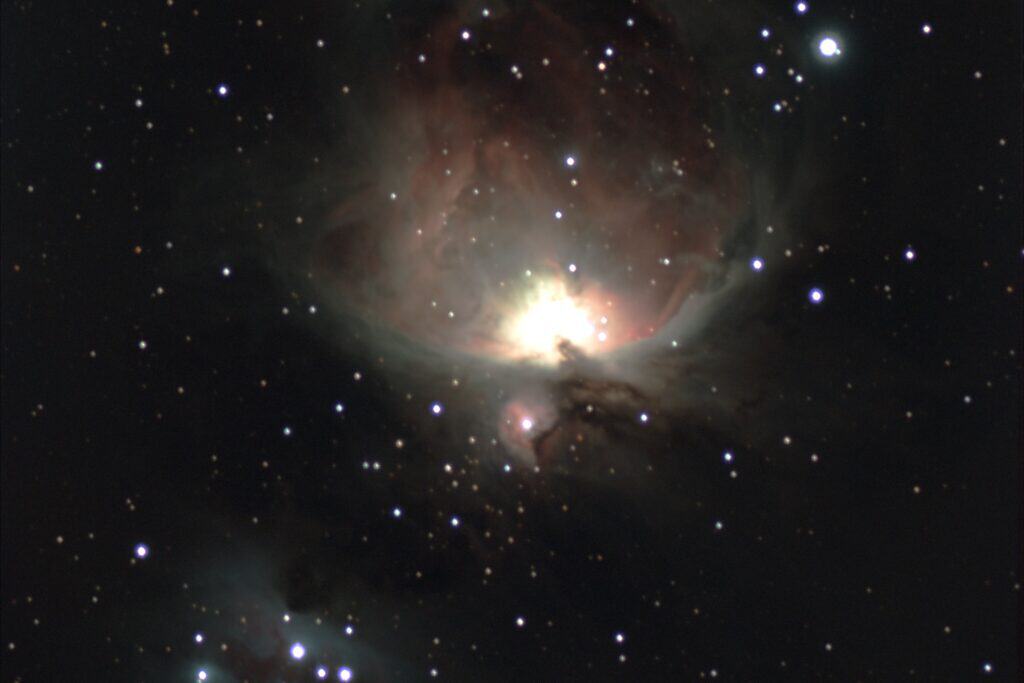
I’ve dealt with bloat using the L-Pro too, on the Orion Nebula. There, it’s a balancing act: you want enough exposure time to pull out the target’s signal, without going so long that the bright stars swell up. The whole Orion region is packed with bright stars, which makes it a great place to run into this with either filter.
A quick way to sort out what you’re looking at: if only the brightest stars have halos or bloat, you’re probably dealing with a bright-star problem. If every star in the frame looks soft or misshapen, check your focus before blaming the filter.
When the Tradeoff Is Worth It (and When It Isn’t)
All of this raises a fair question: is losing your stars worth it? It depends entirely on the target.
Use a dual-band filter for:
- Emission nebulas, like the Rosette, the Flame, or the Orion Nebula. They have the strong Hα signal the filter is designed to let through.
Skip it for:
- Galaxies
- Reflection nebulas
- Star clusters
- Planets
Those targets shine across the broad spectrum, just like stars, so a dual-band filter blocks most of what you’re trying to capture.
From a Bortle 9 sky, my priority on emission targets is simple: target signal comes first, stars come second. The light pollution here would bury a lot of that nebula signal without the filter, and I can always bring natural star color back with a broadband set. I can’t do the reverse.
Final Thoughts
Fewer stars, teal stars, and a plate solve that suddenly needs more time are all part of shooting with a dual-band filter. They’re signs the filter is doing its job, not signs that something went wrong.
Once you know what to expect, the fixes are straightforward: bump your solve exposure, save the filter for emission nebulas, and capture a quick broadband set when you want natural stars back. Light pollution is a constraint you work around, and a dual-band filter is one of the best tools for doing exactly that. Your stars just need a little extra help along the way.
Tagged
In This Post
Current Setup
Equipment links are affiliate links – they help support this site at no cost to you.